
What is the Fake Captcha Malware?
Fake Captcha Malware WordPress Fix, The fake captcha malware is a specific type of malicious script injected into compromised WordPress sites. Unlike a real security measure (like Google reCAPTCHA or Cloudflare Turnstile) that protects your site from bots, this script is designed to exploit real human visitors.
When a user clicks “Allow” or “Verify” on the fake screen, the script typically subscribes them to aggressive browser notifications. These notifications will spam the user’s desktop or phone with ads, adult content, or further malware links. For website owners, this issue causes a massive drop in traffic, ruins your search engine rankings, and destroys visitor trust.
Table of Contents
Real Captcha vs. Fake Captcha
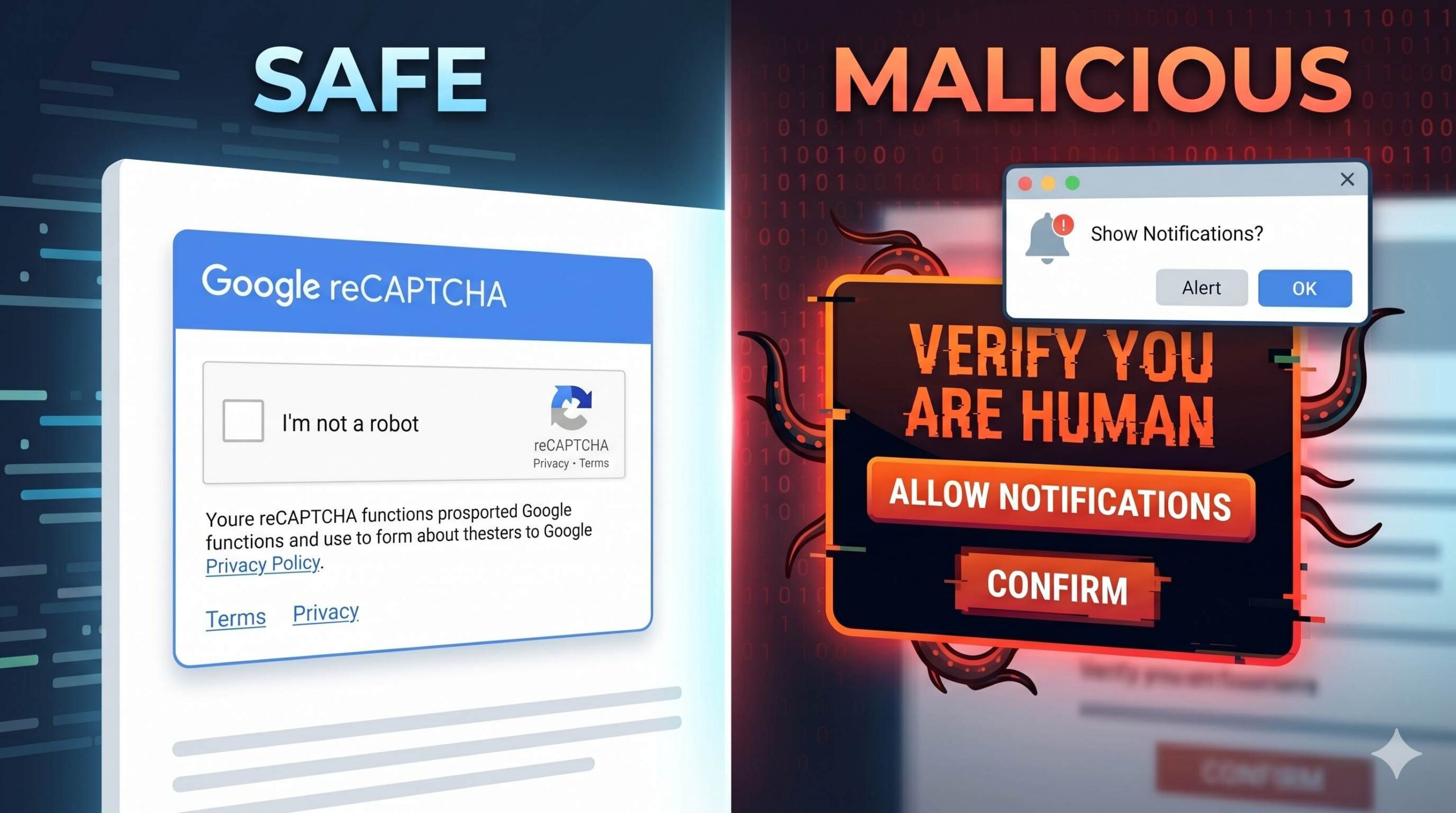
If you are unsure whether the screen on your site is legitimate or malicious, look for these differences:
| Feature | Real Captcha (Safe) | Fake Captcha (Malware) |
| Browser Prompt | Never asks for browser permissions | Asks to “Show Notifications” |
| Design Quality | Clean, professional, well-branded | Blurry, strange grammar, oversized buttons |
| Page Behavior | Keeps user on the same URL | Often redirects to a spam website |
| Origin | Installed intentionally by site admin | Appeared suddenly without your permission |
Preparing for the Fake Captcha Malware WordPress Fix
Before we remove the malicious code, you must prepare your environment. Making changes to your website files without a safety net can break your site completely.
- Back Up Your Website: Always create a complete backup of your files and database. You can use a free plugin like UpdraftPlus or rely on your web hosting provider’s backup tool.
- Put Your Site in Maintenance Mode: Prevent visitors from seeing the fake captcha and getting infected while you work. You can use a simple “Coming Soon” plugin for this.
- Change All Passwords: Change your WordPress admin password, your hosting control panel password, and your database passwords immediately.
Step-by-Step: Fake Captcha Malware WordPress Fix
The malicious script causing the fake captcha is usually hidden in your theme files, the WordPress database, or disguised within a rogue plugin. Follow these steps sequentially to locate and remove it.
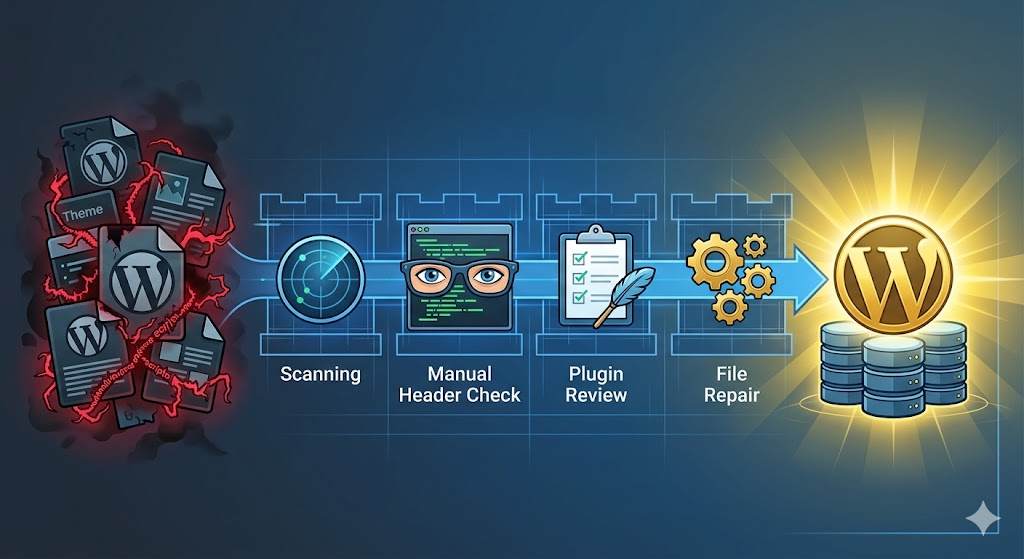
1.Run a Dedicated Security Scanner:Automated detection.
with fake CAPTCHA malware, the safest starting point for remediation for site owners with no foundational technical skills is to run a dedicated security scanner: install the Wordfence or Sucuri Security plugin, execute a full-site scan to locate this type of injected JS file, and complete the cleanup process.
2.Inspect Your Header and Footer Files:Manual removal of injected code.
If the scanner misses the script, you need to check manually. Attackers frequently place the fake captcha code in your theme’s header.php or footer.php files because these files load on every page of your site.
Go to Appearance > Theme File Editor. Look at the header.php file, specifically just before the </head> tag. Look for strange <script> tags pulling from unfamiliar domains. If you find a block of JavaScript you do not recognize, carefully delete it and save the file. Repeat this process for footer.php.
3.Check for Rogue or Nulled Plugins:Identifying the entry point.
The fake captcha malware often enters a WordPress site through vulnerable, outdated, or “nulled” (pirated premium) plugins. Go to your Plugins list. Deactivate and delete any plugins that you do not recognize, are no longer supported by their developers, or were downloaded from unofficial third-party websites.
4.Reinstall Core WordPress Files:Clearing deep infections.
Sometimes, the malware modifies core WordPress files to ensure the fake captcha keeps coming back even after you delete it from your theme. To fix this, go to Dashboard > Updates and click the Re-install version button. This downloads a fresh, clean copy of WordPress core files directly from the official servers, overwriting any infected core files without deleting your posts or media.
5.Clear All Site Caches:Ensuring visitors see the clean site.
Once you have removed the malicious script, your website might still serve a cached version of the fake captcha page to visitors. Clear your WordPress caching plugin (like WP Rocket or LiteSpeed Cache), clear your CDN cache (like Cloudflare), and ask your web host to flush the server cache.
How to Apply an SQL Injection Vulnerability Fix WordPress
How to Prevent Future Fake Captcha Infections
Completing the fake captcha malware wordpress fix is a relief, but keeping it from returning requires ongoing vigilance.
- Keep Everything Updated: Outdated plugins are the number one cause of WordPress hacks. Set your core software, themes, and trusted plugins to auto-update.
- Install a Web Application Firewall (WAF): A firewall acts as a shield between your website and the internet, blocking malicious bots from injecting the fake captcha code in the first place.
- Never Use Nulled Software: Pirated premium themes and plugins are almost always bundled with malware. Only download software from the official WordPress repository or reputable developers.
Frequently Asked Questions (FAQs)
Will this fix delete my blog posts or pages?
No. The fake captcha malware wordpress fix focuses on cleaning your core files and theme files. As long as you follow the steps carefully and make a backup first, your written content, images, and user data will remain perfectly safe.
Why does my site still show the fake captcha after I cleaned the files?
If you have verified that the malicious code is completely gone from your server, the issue is almost certainly caching. Ensure you have purged all caching layers, including your browser cache, plugin cache, and server-side cache.
Is this guide guaranteed to fix my site?
This guide is for educational troubleshooting purposes. Because malware evolves constantly, attackers may hide the fake captcha script in highly obscure database tables or server-level files. If you have completed all the steps above and the issue persists, we recommend contacting your web hosting provider’s support team or hiring a professional WordPress malware removal service.